Push for Incoming Calls
Single Register
Softphone and Push server will take over the SIP registration as the softphone is backgrounded and brought to the foreground again. This mode only works with your setup if a newer registration overwrites a previous registration without having to unregister the previous registration.
Softphone backgrounded or closed
Step 1
SIP credentials are securely transferred to the Push server, softphone does not unregister with PBX
Step 2
Push server registers SIP account with the PBX,
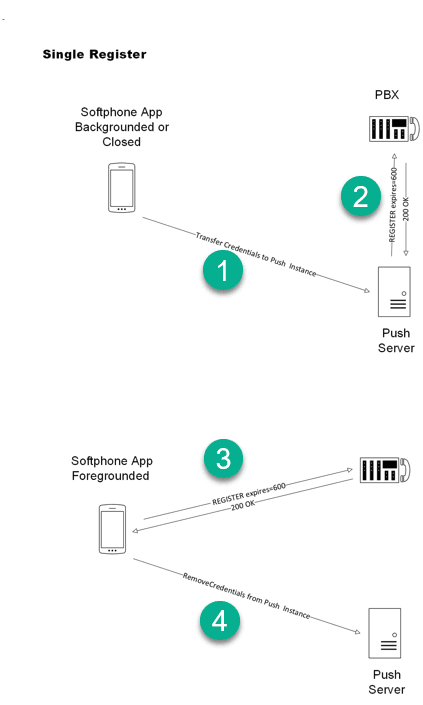
Softphone application opened or foregrounded
Step 3
Softphone registers with PBX
Step 4
SIP credentials removed from Push server. Push server does not unregister.
Last updated on