Desktop Softphones
Access voicemail
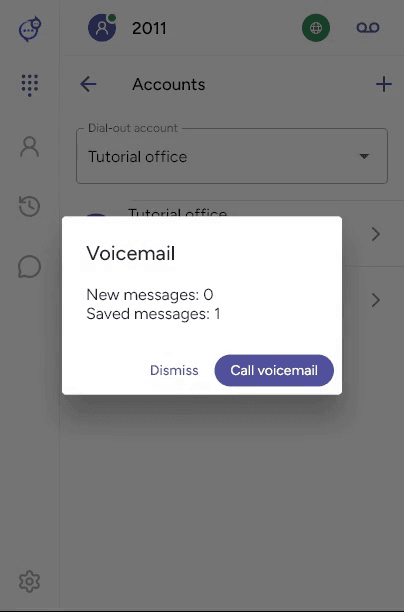
Click the voicemail icon at the top right of the main screen. For SIP voicemail, the app calls the configured mailbox or shows a message summary first. Click Call voicemail in the summary, then follow your provider’s prompts. Use the in-call keypad to enter a PIN or menu choice.
Configure the mailbox number
Open Settings > Accounts, select the account and disable it before editing. Under Advanced SIP settings > Voicemail, enter the Voicemail number from your provider. Enable Subscribe to voicemail notifications if supported.
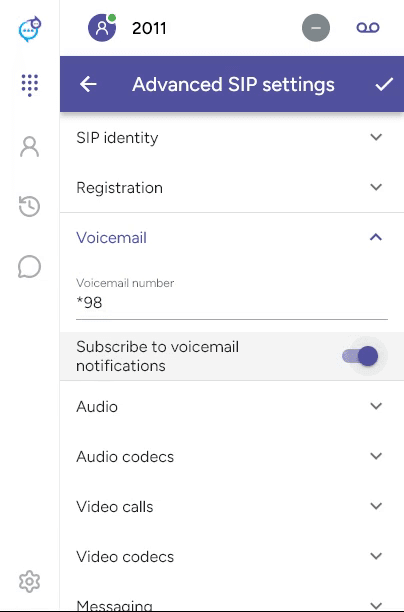
Save with the checkmark and re-enable the account. The example mailbox number belongs to a test service. Badges and message counts require your provider to supply message-waiting information. Provider-hosted voicemail may use a mailbox list instead.
Last updated on