Desktop Softphones
Advanced SIP settings
Open Settings > Accounts, select the account and disable it before editing. Open Advanced SIP settings, expand the section you need and save with the checkmark. Re-enable the account afterwards.
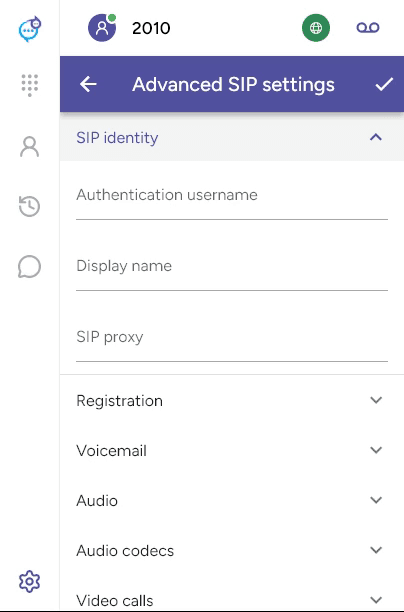
| Section | Settings |
|---|---|
| SIP identity | Authentication username, display name and SIP proxy. |
| Registration | Transport, certificate verification and registration expiry. |
| Voicemail | Mailbox number and message-waiting subscriptions. |
| Audio / Audio codecs | Keypad tone mode, encryption, codec selection and priority. |
| Video calls / Video codecs | Video availability and compatible codecs. |
| Messaging | SMS and IM/presence, where supported. |
| Network / Network traversal | IP version, keepalive, STUN and traversal settings. |
| Outbound proxy | Proxy address, transport and provider-specific options. |
| Caller ID | Incoming caller ID handling. |
The options available depend on the account and your provider’s configuration. Use the values supplied by your provider. See Codecs, Voicemail and Messaging.
Last updated on