Desktop Softphones
Forward a ringing call
On the incoming-call screen, click the forwarding button between answer and decline. Your SIP service must support call forwarding.
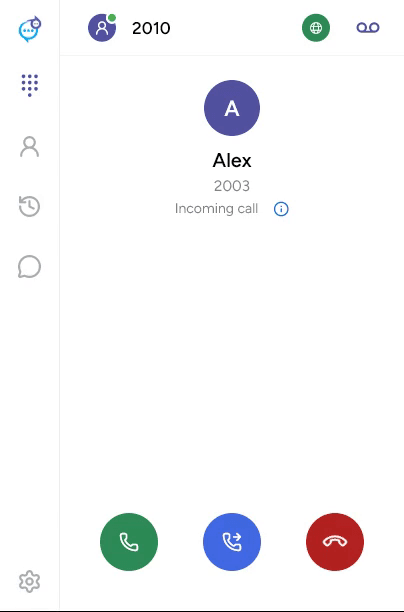
The app displays Select forwarding destination. Enter a number on the dialpad, or choose a destination from Contacts or Recents, then use the forwarding action. Click Cancel to leave destination selection.
For a call you have already answered, use Call transfer.
Last updated on