Desktop Softphones
Choose the outgoing account
Open Settings > Accounts. Use the Dial-out account dropdown at the top to select the account for outgoing calls.
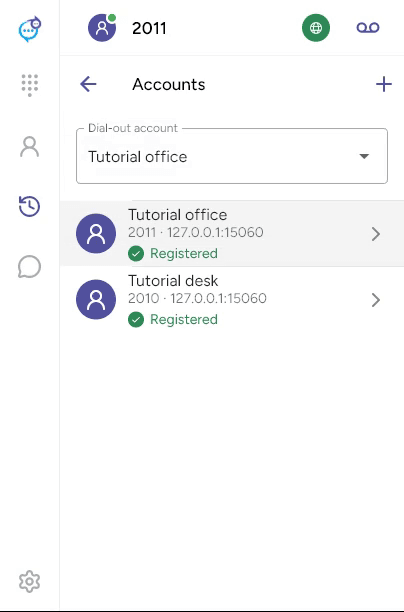
Check that the selected account is enabled and registered before calling. The account shown in the main header changes to reflect your selection. This changes which account places the next call; it does not move a call that is already in progress.
Last updated on