Desktop Softphones
Create and edit contacts
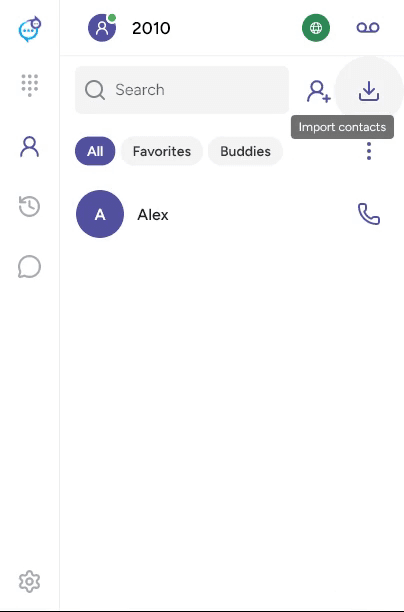
Open Contacts in the sidebar and click the add-contact icon beside Search. If Buddies is selected, that button adds a messaging buddy instead.
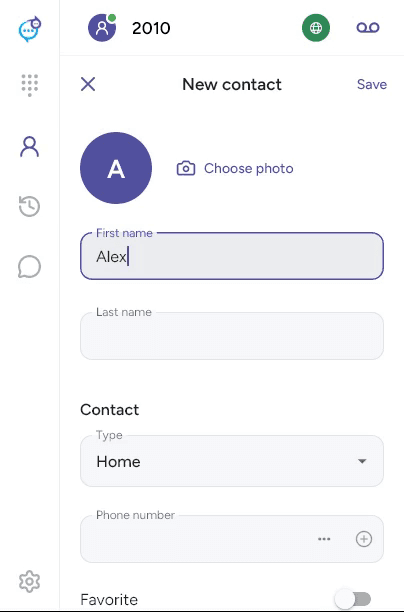
Enter a first or last name. Choose a contact type, enter a phone number or other detail, and use + to add it. Repeat for additional details. Choose photo adds a picture. Save when finished.
To edit a local contact, open its details and click the pencil. Choose the Main number, set Favorite or select Groups, then click Save. Use the minus button to remove an individual detail.
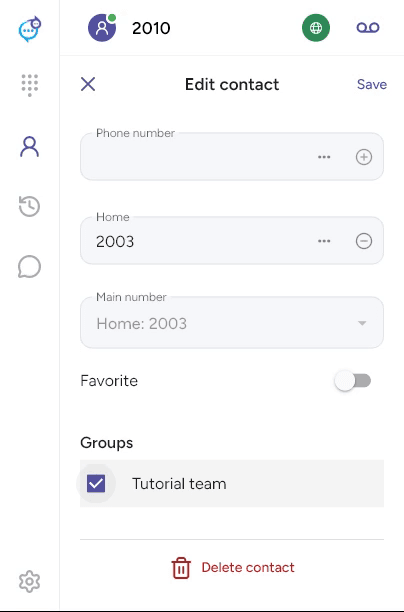
Use Delete contact or the trash control and confirm to remove a local contact. Provider directory entries may be read-only. See Groups and Import contacts.
Last updated on