Desktop Softphones
Record and play back a call
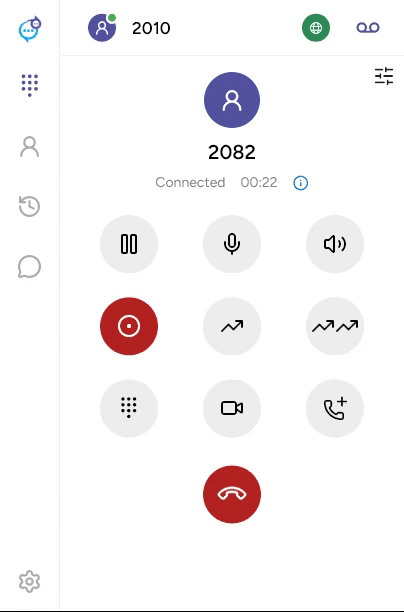
During a connected call, click Record call. The recording control turns red while recording. Click it again to stop; ending the call also stops recording. Recording must be available for your account and app.
Find and play a recording
Open Recents and choose Recorded. Open the call entry and expand its recording. Use play/pause and the progress slider to listen. The player also provides an Audio output selector and volume control on desktop.
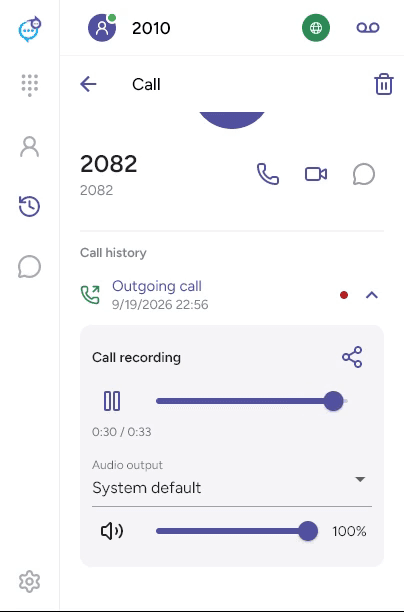
Use the share control beside Call recording to export it when available. Recording availability depends on the saved file being accessible.
Last updated on