Mobile Softphones
Configure app permissions
Open Menu > Settings > Permissions to review access. The page shows the status for each permission. Tap the available action to allow access or open the phone’s settings when required.
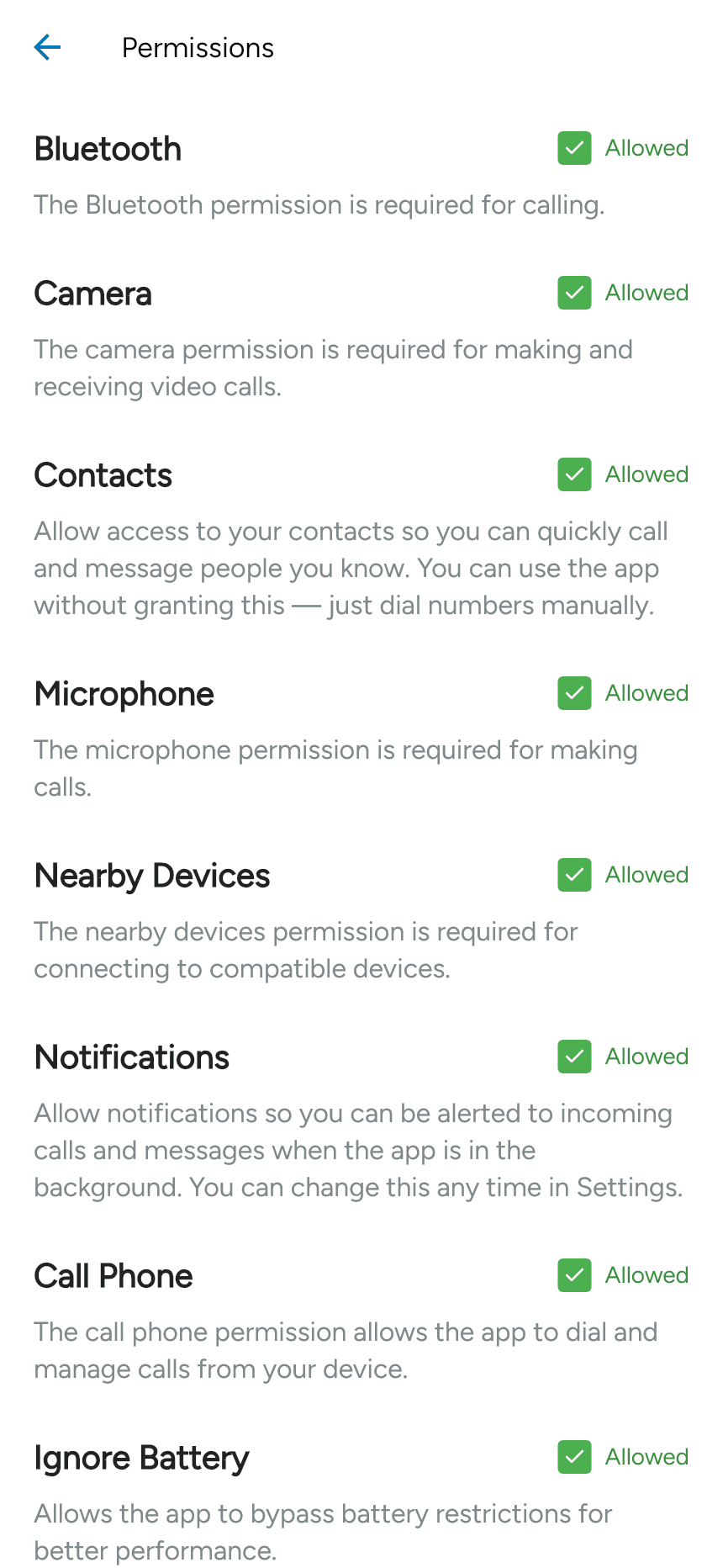
| Permission | What it enables |
|---|---|
| Microphone | Sending your voice during calls. |
| Camera | Sending video during video calls. |
| Contacts | Showing your phone contacts for calling and messaging. You can dial numbers manually without it. |
| Notifications | Incoming-call and message alerts while the app is in the background. |
| Bluetooth / Nearby Devices | Access to supported headsets and nearby devices, where required by Android. |
| Call Phone | Phone-call integration where requested by Android. |
| Ignore Battery | Exemption from Android battery restrictions where available. |
Grant the permissions needed for the features you use. A permission marked unavailable is not offered in that environment. iPhone shows a different set of permissions, and the OS permission dialogs differ from this Android example.
If you previously denied access and the app cannot request it again, open the app’s page in your phone’s system settings and change the permission there.
Last updated on