Mobile Softphones
Understand SIP account details
Open Menu > Settings > Accounts and select an account. Disable an enabled account before editing its settings.
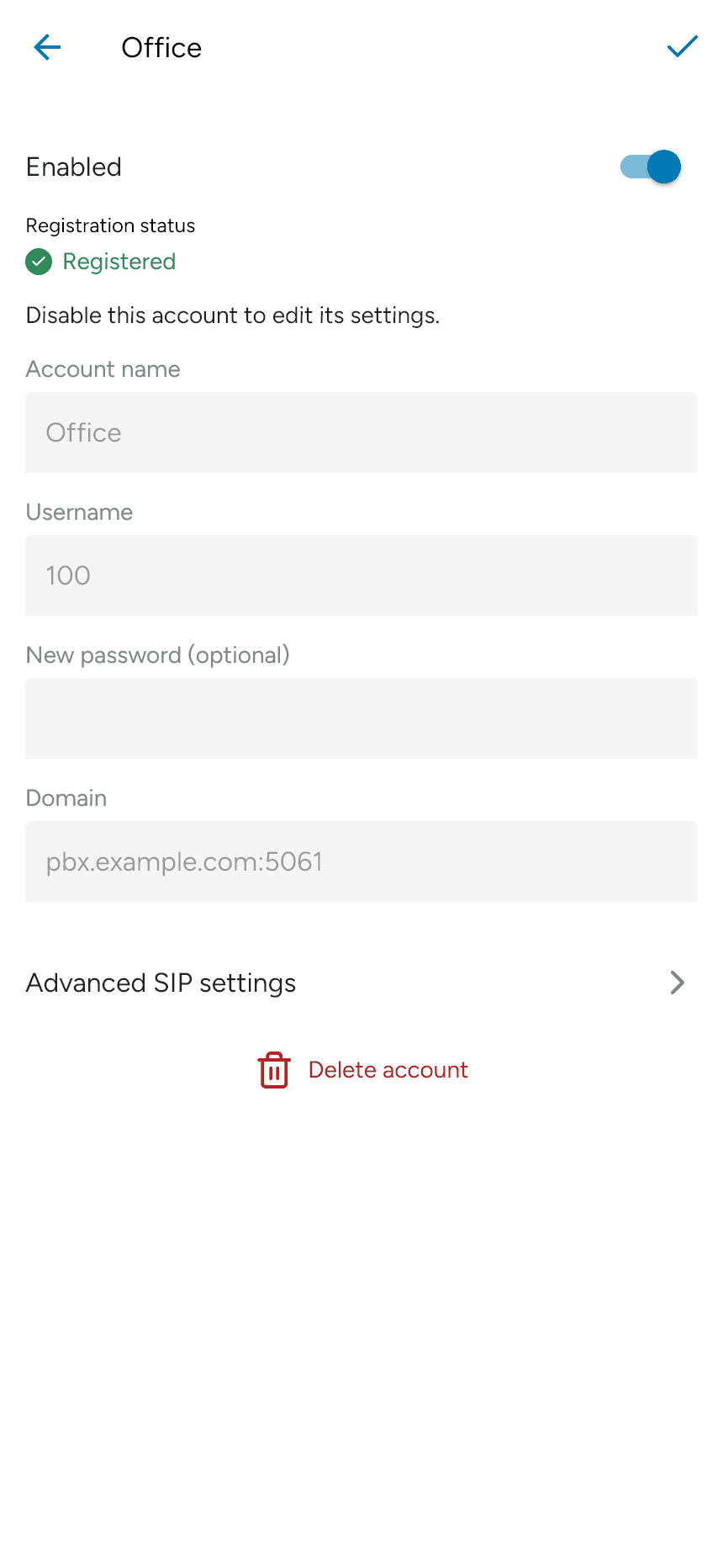
| Field | Purpose |
|---|---|
| Account name | A label to help you identify this account in the app. |
| Username | Your SIP extension or user ID, supplied by your provider. |
| Password | The account’s SIP password. For an existing account, leave New password (optional) blank to keep the current password. |
| Domain | Your provider’s SIP server address, including a port if required. |
| Enabled | Controls whether the app uses this account. |
Registration status shows whether the account has registered with its SIP service.
Authentication username, display name and SIP proxy are under Advanced SIP settings > SIP identity. Use the values your provider supplies; an authentication username may differ from your extension.
See Advanced SIP settings for the remaining options.
Last updated on